RYAN ZERNACH

Senior AI Systems Engineer

Ryan_Zernach_2025_Senior_AI_Systems_Engineer_Remote_United_States

⌨️ Chromium Copy Shortcuts Extension

I needed a lightweight Chromium extension that stores reusable text snippets and copies them with a single click. I built it in a few minutes as a personal utility for repeat text workflows where speed matters more than heavy formatting or cloud sync. The extension is intentionally minimal, fully local, and designed to reduce small but constant context-switching during daily work.

Related Links
Download Chrome Extension
GitHub Repository
Privacy Policy
Copy Shortcuts extension icon

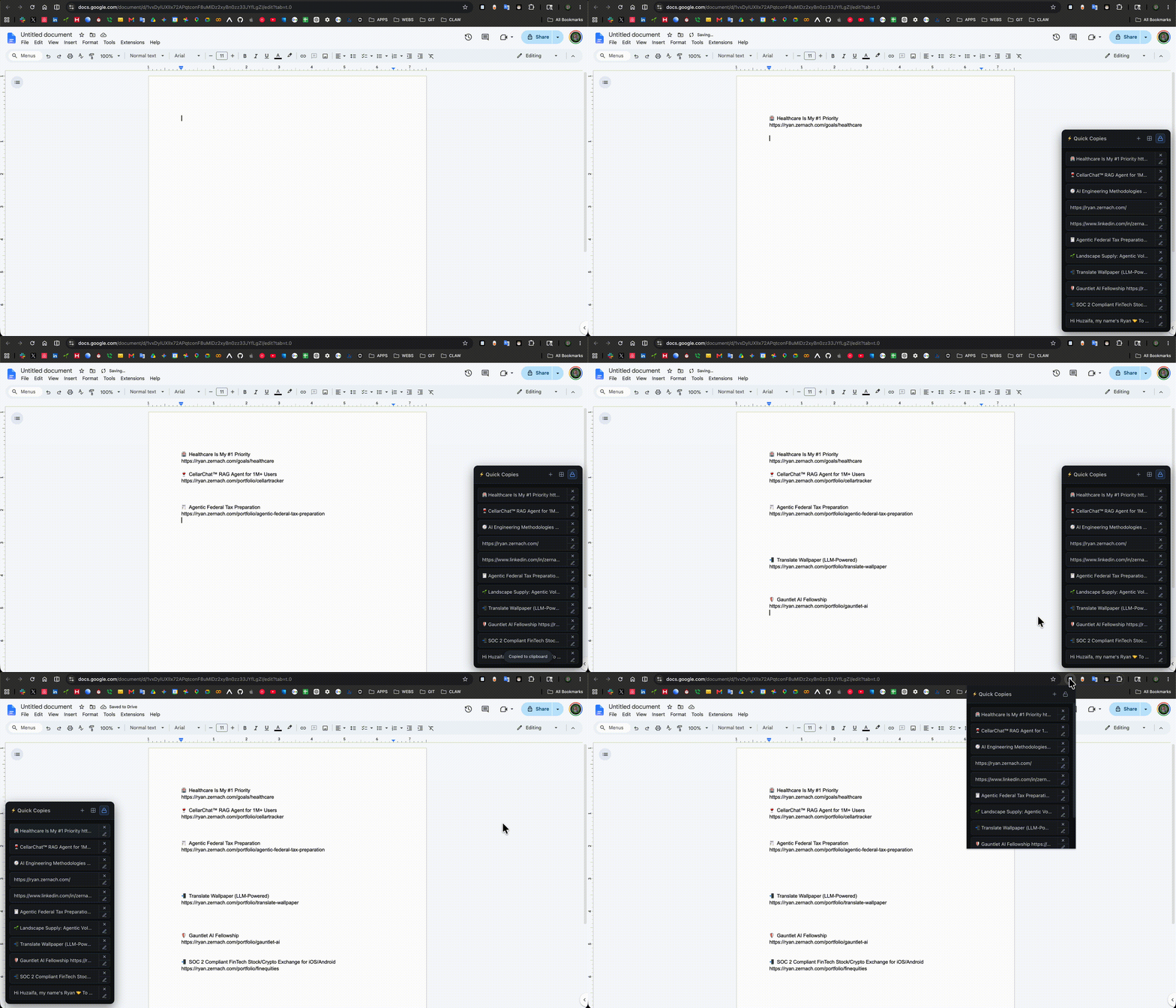
Toggle-Locked Access Across Tabs

The Copy Shortcuts Chrome Extension can be toggle locked to stay visible across browser tabs so you can access versatile copy shortcuts at all times while keeping copiable text items stored locally.

Copy Shortcuts extension toggle lock workflow across browser tabs
Toggle lock keeps the extension visible so shortcuts stay instantly accessible while stored locally in Chrome.

Summary

The project solves a narrow but frequent problem: repeated text insertion. Instead of digging through docs, notes, or previous messages, I can keep reusable snippets in one popup and copy them instantly. The core decision was to keep everything local and dependency-light so the extension opens quickly and stays reliable.

  • I was repeatedly copying the same snippets: email signatures, account notes, frequently used support responses, and short code fragments.
  • I wanted one-click recall from a browser popup instead of context-switching into notes apps or searching old chats.
  • I wanted the extension to run fully local with no account, no backend, and no sync dependencies.

Tech Stack

Chromium Extension (Manifest V3), HTML, CSS, vanilla JavaScript, Chrome Extension APIs (`chrome.storage.local`), Clipboard API with fallback copy support, shell-based packaging script.

Scope

No backend, no account model, no synchronization layer, and no telemetry pipeline. The extension focuses only on local snippet storage, one-click copy, delete, and small UX quality-of-life interactions.

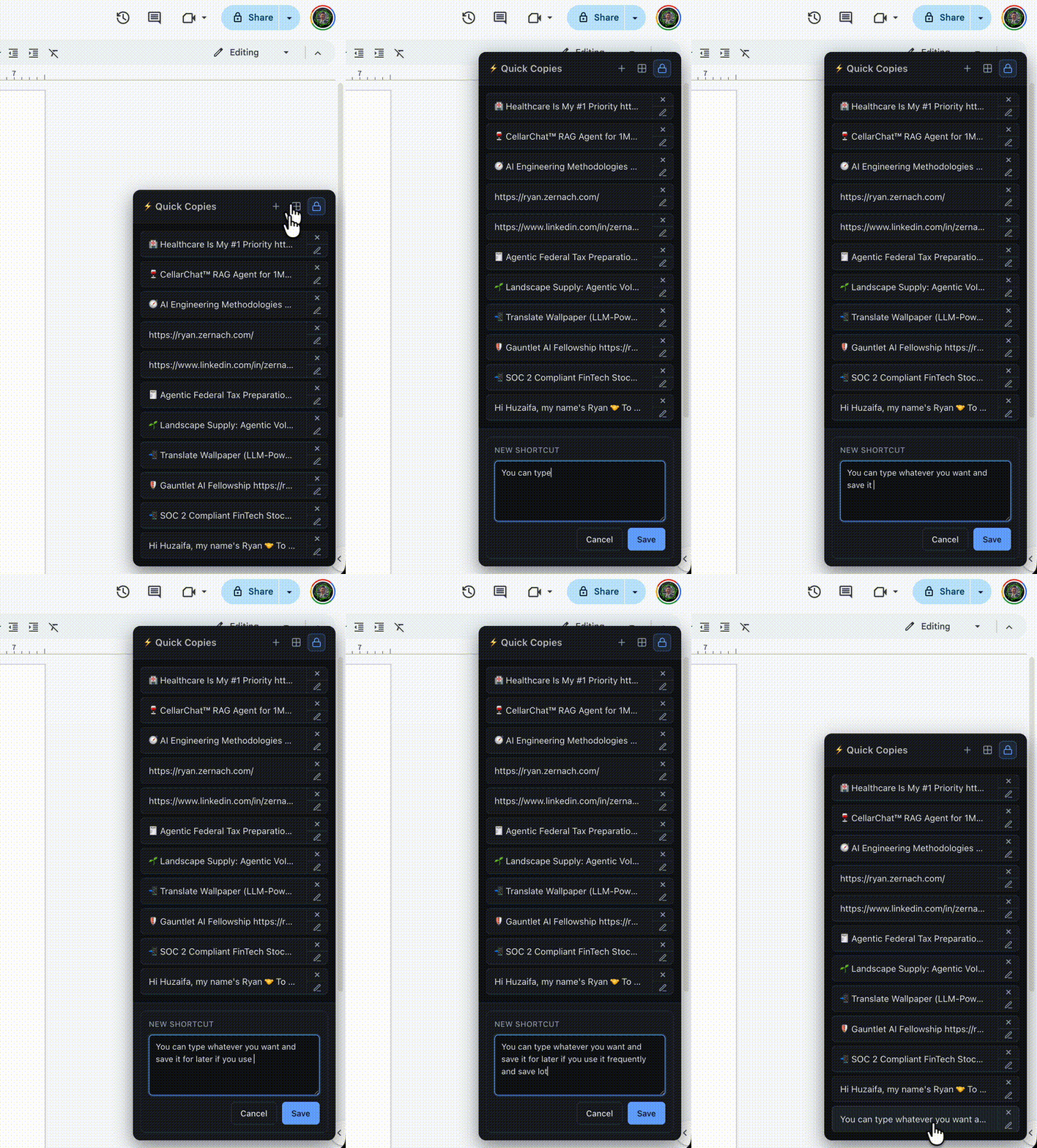
Unlimited Local Phrase Creation

You can create as many new phrases as you want, and each saved shortcut remains on your device locally in Chrome cache.

Copy Shortcuts extension creating many local phrases
Phrase management flow showing scalable shortcut creation with local-only Chrome cache storage.

Implementation Deep Dive

I kept the architecture deliberately small and explicit so each behavior is easy to reason about and maintain.

Architecture + Data Model

Single-surface extension with local persistence

Clipboard Path + Copy Reliability

Fast primary path with compatibility fallback

UX Behavior

Low-friction interactions for high-frequency actions

Privacy, Permissions, and Release Flow

I treated permission scope and release packaging as first-class engineering concerns, not afterthoughts.

Permission Minimization

Only what the extension needs

Build + Distribution

Deterministic zip artifact for store upload